> ## Documentation Index
> Fetch the complete documentation index at: https://pinata-docs-agent-updates-2026-06.mintlify.site/llms.txt
> Use this file to discover all available pages before exploring further.
# Issues
> Assign work to agents on a kanban board
The **My Issues** area is the planning and review surface for agent work. Instead of chatting directly with one agent, you create cards, assign them to agents or humans, and move them across a board as the work progresses.
 ## What the board does
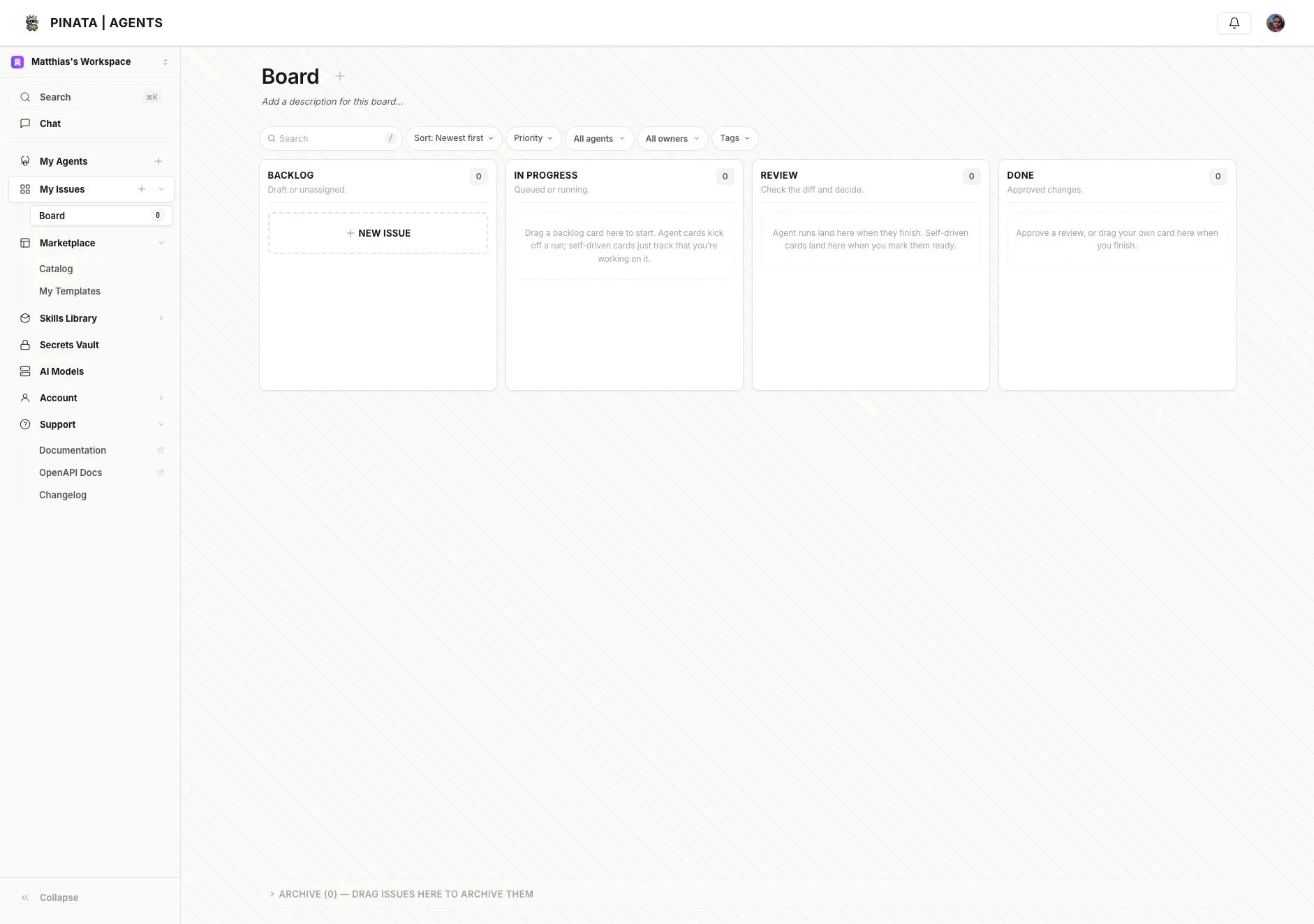
Open **My Issues** from the main sidebar. The current board UI gives you:
* **Backlog** for drafts and unassigned work
* **In progress** for queued or running agent work
* **Review** for completed runs that need a human decision
* **Done** for approved work
* **Archive** for cards you want out of the active board
At the top of the board you'll also see search plus filters for sort order, priority, agent, owner, and tags.
## Creating work
Use **Add Issue** or **New Issue** to create a card. The board is built for two common flows:
* **Agent-driven work** — assign the card to an agent so it can run the task
* **Self-driven work** — use the card as planning/review structure for human work
When an agent run finishes, it lands in **Review** so you can inspect the result and decide whether to approve it.
## How to read the columns
The current UI uses column descriptions directly in the board:
* **Backlog** — draft or unassigned
* **In progress** — queued or running
* **Review** — check the diff and decide
* **Done** — approved changes
That makes the board a nice complement to chat: chat is best for interactive back-and-forth, while Issues is better for queued work, reviewable runs, and team coordination.
## Where this shows up in the API
The OpenAPI schema includes first-class issue and issue-template surfaces, so the board is not just a UI convenience. Look for routes such as:
* `/v0/issues/templates`
* `/v0/issues/templates/:templateId`
The exact issue payloads evolve quickly, so prefer the live OpenAPI reference for field-level details.
## What the board does
Open **My Issues** from the main sidebar. The current board UI gives you:
* **Backlog** for drafts and unassigned work
* **In progress** for queued or running agent work
* **Review** for completed runs that need a human decision
* **Done** for approved work
* **Archive** for cards you want out of the active board
At the top of the board you'll also see search plus filters for sort order, priority, agent, owner, and tags.
## Creating work
Use **Add Issue** or **New Issue** to create a card. The board is built for two common flows:
* **Agent-driven work** — assign the card to an agent so it can run the task
* **Self-driven work** — use the card as planning/review structure for human work
When an agent run finishes, it lands in **Review** so you can inspect the result and decide whether to approve it.
## How to read the columns
The current UI uses column descriptions directly in the board:
* **Backlog** — draft or unassigned
* **In progress** — queued or running
* **Review** — check the diff and decide
* **Done** — approved changes
That makes the board a nice complement to chat: chat is best for interactive back-and-forth, while Issues is better for queued work, reviewable runs, and team coordination.
## Where this shows up in the API
The OpenAPI schema includes first-class issue and issue-template surfaces, so the board is not just a UI convenience. Look for routes such as:
* `/v0/issues/templates`
* `/v0/issues/templates/:templateId`
The exact issue payloads evolve quickly, so prefer the live OpenAPI reference for field-level details.