> ## Documentation Index
> Fetch the complete documentation index at: https://pinata-docs-agent-updates-2026-06.mintlify.site/llms.txt
> Use this file to discover all available pages before exploring further.
# Collections
> View your NFT collections and their IPFS CIDs
After syncing a wallet, view your NFT collections and their CIDs.
## Viewing Collections
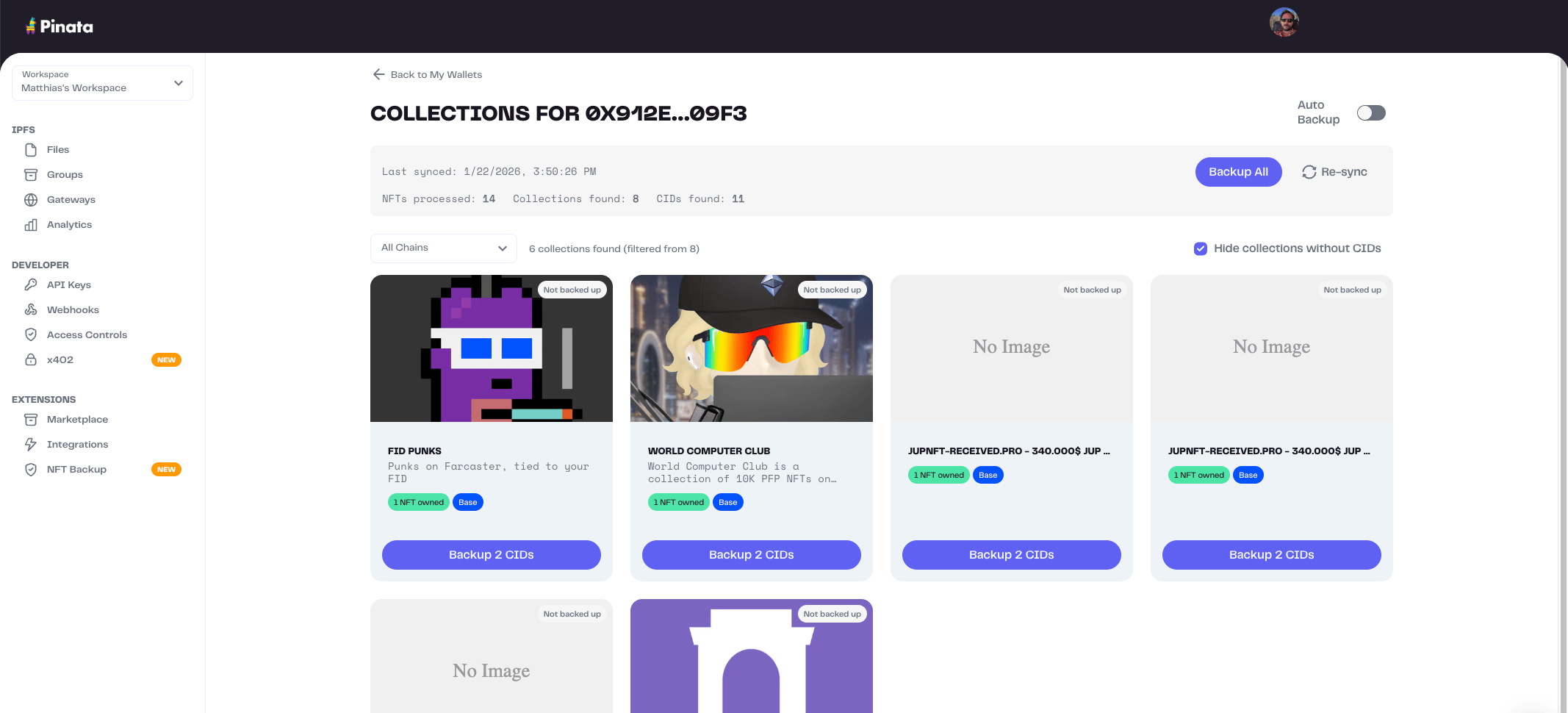 Each collection shows:
| Field | Description |
| ---------- | --------------- |
| Name | Collection name |
| Chain | Blockchain |
| NFTs Owned | Your NFT count |
| CIDs | IPFS CIDs found |
## Collection Details
Each collection shows:
| Field | Description |
| ---------- | --------------- |
| Name | Collection name |
| Chain | Blockchain |
| NFTs Owned | Your NFT count |
| CIDs | IPFS CIDs found |
## Collection Details
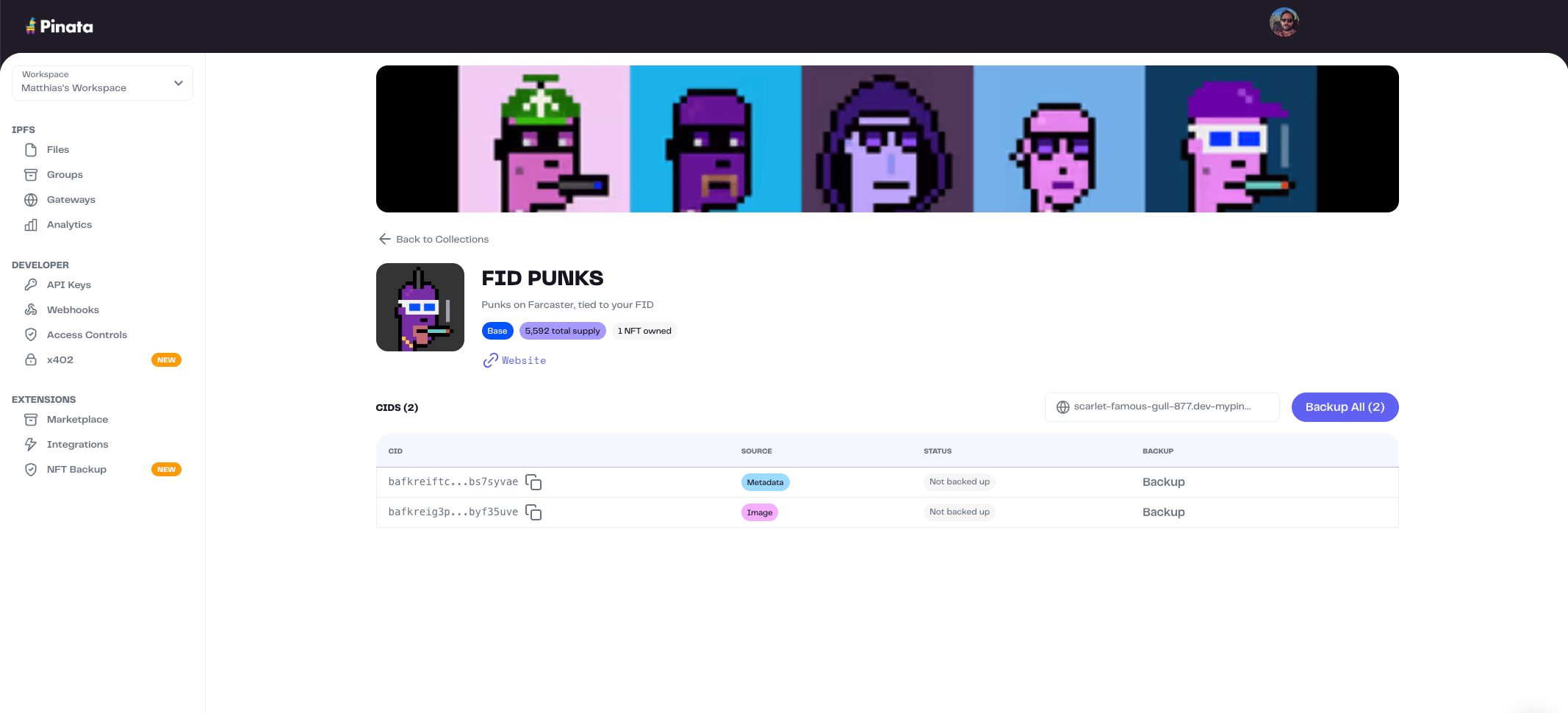 Click a collection to see:
* Collection metadata (image, description)
* List of CIDs with backup status
### CID Information
| Field | Description |
| --------- | ------------------------------ |
| CID | IPFS content identifier |
| Source | `metadata` or `image` |
| Backed Up | Whether pinned to your account |
## Filtering
Filter collections by chain using the dropdown.
## Related
* [Wallets](/files/nft-backup/wallets) - Add and sync wallets
* [Sync](/files/nft-backup/sync) - Sync CIDs
Click a collection to see:
* Collection metadata (image, description)
* List of CIDs with backup status
### CID Information
| Field | Description |
| --------- | ------------------------------ |
| CID | IPFS content identifier |
| Source | `metadata` or `image` |
| Backed Up | Whether pinned to your account |
## Filtering
Filter collections by chain using the dropdown.
## Related
* [Wallets](/files/nft-backup/wallets) - Add and sync wallets
* [Sync](/files/nft-backup/sync) - Sync CIDs